

Welcome
Bienvenue !
Welcome !
(いらっしゃいませ) Irasshaimase !
Willkommen !
Hey friend,
So you want to learn Linux, that’s great! You’re in the right place, in my opinion 😉.
This course is packed with exercises to give you a fairly complete immersion into the world of Linux, so you can venture into system administration, DevOps, or Cybersecurity.
If you’re not a beginner, I invite you to do the challenge below without AI to assess yourself.
On that note, have a good adventure, Ciao!

It’s your turn to play !!!
Challenge
This challenge consists of searching for the flag.zip file and decompressing it to obtain the flag (special character string). Before starting the challenge, you will need to set up the environment as follows:
Info: Pay attention to your prompt.
# Installation of prerequisites: the docker app
sudo apt update
sudo apt install -y docker.io
sudo systemctl enable docker --now
sudo usermod -aG docker $USER # In order to use the docker command without sudo in your next sessions

# Initializing the environment
sudo docker ps # Displays the containers currently running
sudo docker run -dit --name ctf-sysadmin fs0ci3ty/adminsys_basic-ctf # Downloading and setting up the challenge container
sudo docker ps
sudo docker exec -it ctf-sysadmin bash # Allows you to enter the Docker container and launch the bash terminal to execute commands.
At this point, you should be in the Docker container and not in the terminal attached to your OS, as shown below.
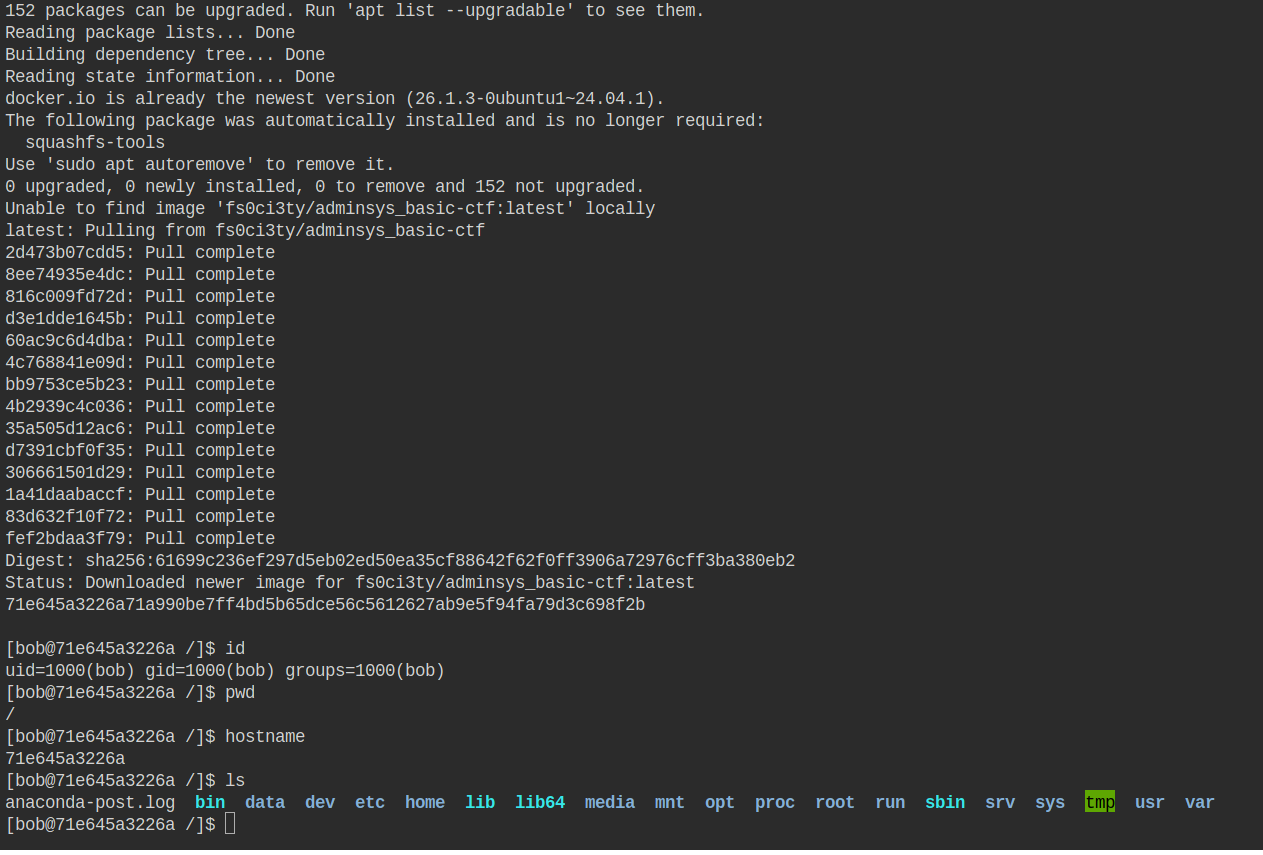
Now that the challenge environment is ready, you can begin the challenge, but keep the following points in mind:
- The decompression of flag.zip must be done inside the docker container.
- Network issues, package installation issues, and other problems encountered in the docker container are totally normal 😈.
⚠️ We recommend running the lab in a VM or sandbox, or using killercoda’s Ubuntu VM (https://killercoda.com/playgrounds/scenario/ubuntu) or Google Cloud Shell (https://shell.cloud.google.com). Both are free.