


Chapter 1: Introduction to the Linux World
Foreword
We recommend that you do not use AI to do the exercises since you are in the learning phase.
Introduction
Future hacker? Future Linux system administrator? Future DevOps? Just a curious mind? Passionate about computers? Let’s explore together this wonderful universe that is Linux. Linux, that famous open source operating system that everyone dreads.
History of Linux
Deep dive
Linux was born in 1991, created by Linus Torvalds, a Finnish student inspired by UNIX, a powerful and modular operating system developed in the 1970s by Ken Thompson, Dennis Ritchie, and others at Bell Labs. UNIX was renowned for its stability and portability, but its code was not free. Torvalds wanted to recreate a similar system, free and open, by publishing the Linux kernel, which he shared with the community. By combining it with tools from the GNU project (launched by Richard Stallman in the 1980s to create a free operating system similar to UNIX), Linux became a complete operating system, often called GNU/Linux. It inherited concepts such as multi-user management and multitasking from its UNIX roots, while evolving thanks to open source. Today, Linux dominates the server, supercomputer, and even smartphone (via Android) markets, often surpassing UNIX in popularity.
Let’s do a quick recap of the essential points to remember:
-
UNIX as inspiration: Created in the 1970s at Bell Labs, UNIX introduced key concepts (stability, modularity, multi-user) that influenced Linux, even though it remained proprietary.
-
Linux, a free alternative: In 1991, Linus Torvalds developed the Linux kernel, inspired by UNIX, and made it open source, marking the start of a worldwide collaborative project.
-
Role of the GNU project: Initiated by Richard Stallman in the 1980s, GNU provides the tools that, combined with the Linux kernel, create a completely free UNIX-like system.
-
Strength of open source: The global community keeps evolving Linux, making it adaptable and dominant in servers, supercomputers, and smartphones (Android).
-
Legacy and impact: Linux keeps the spirit of UNIX while surpassing it in accessibility and popularity, becoming a pillar of modern computing.
Short Exercise
- Research the differences between Unix, Linux, BSD, and GNU.
- What is open source?
- What is free software?
- What is proprietary software?
- What is the difference between open source and free software?
Linux distributions
You now know what Linux is. You might be wondering how to install it. Installing Linux is done in three major steps.
- Choosing the distribution (Debian? Ubuntu? Kali Linux? Linux Mint? Arch Linux…)
- Choosing the installation method (Main OS? Dualboot? Virtual Machine? Cloud?)
- The installation 🙃
Let’s talk about Linux distributions
Linux is installed via a distribution. A Linux distribution (or “distro”) is a complete, ready-to-use version of the Linux operating system, built around the Linux kernel. It includes not only the kernel, but also a set of software, tools, libraries, and often a user interface (like a desktop environment), all tailored to specific needs. It should also be noted that each distribution has its own particularities.
In the Linux universe, we talk about parent distributions. A parent distribution is a Linux distribution that serves as the base or starting point for other derivative distributions. These “parents” are often stable, well established, and provide a technical foundation on which other projects build their own versions, adding customizations or specific goals.
Examples of parent distributions
- Debian: One of the most influential, known for its stability. It is the origin of many distributions such as Ubuntu, Linux Mint, or Kali Linux.
- Red Hat: Mainly used in enterprises, it gave rise to Fedora (community version), CentOS (before its transition to CentOS Stream), and Rocky Linux.
- Arch Linux: Minimalist and flexible, it inspires derivatives such as Manjaro, which focuses on ease of use.
NB: Some distributions have a default user interface, others do not (at system startup, you land directly on a command line interface).
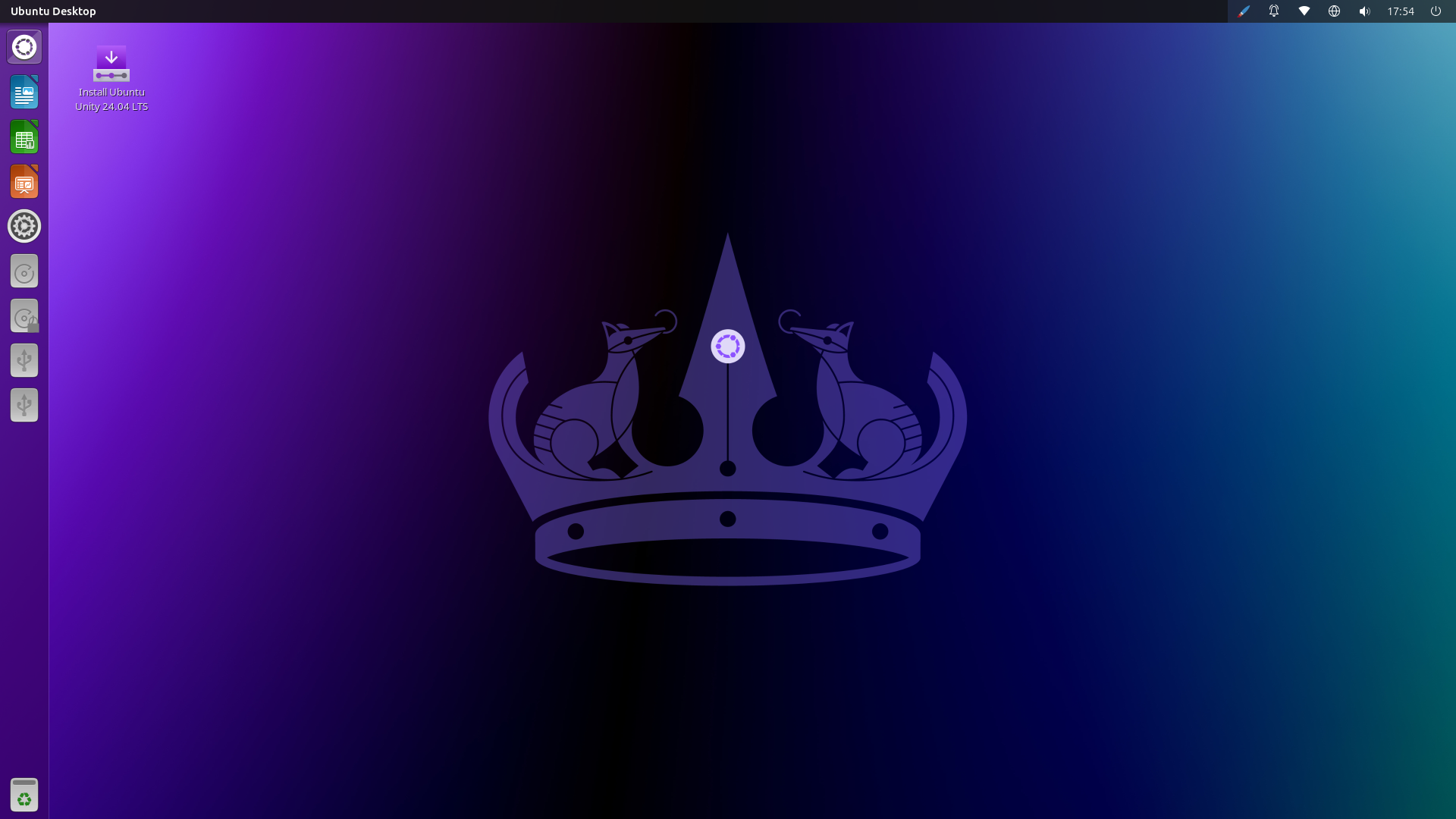
A Linux distribution (Ubuntu 24.04) with a user interface can look like this:
A Linux distribution without a user interface can look like this:
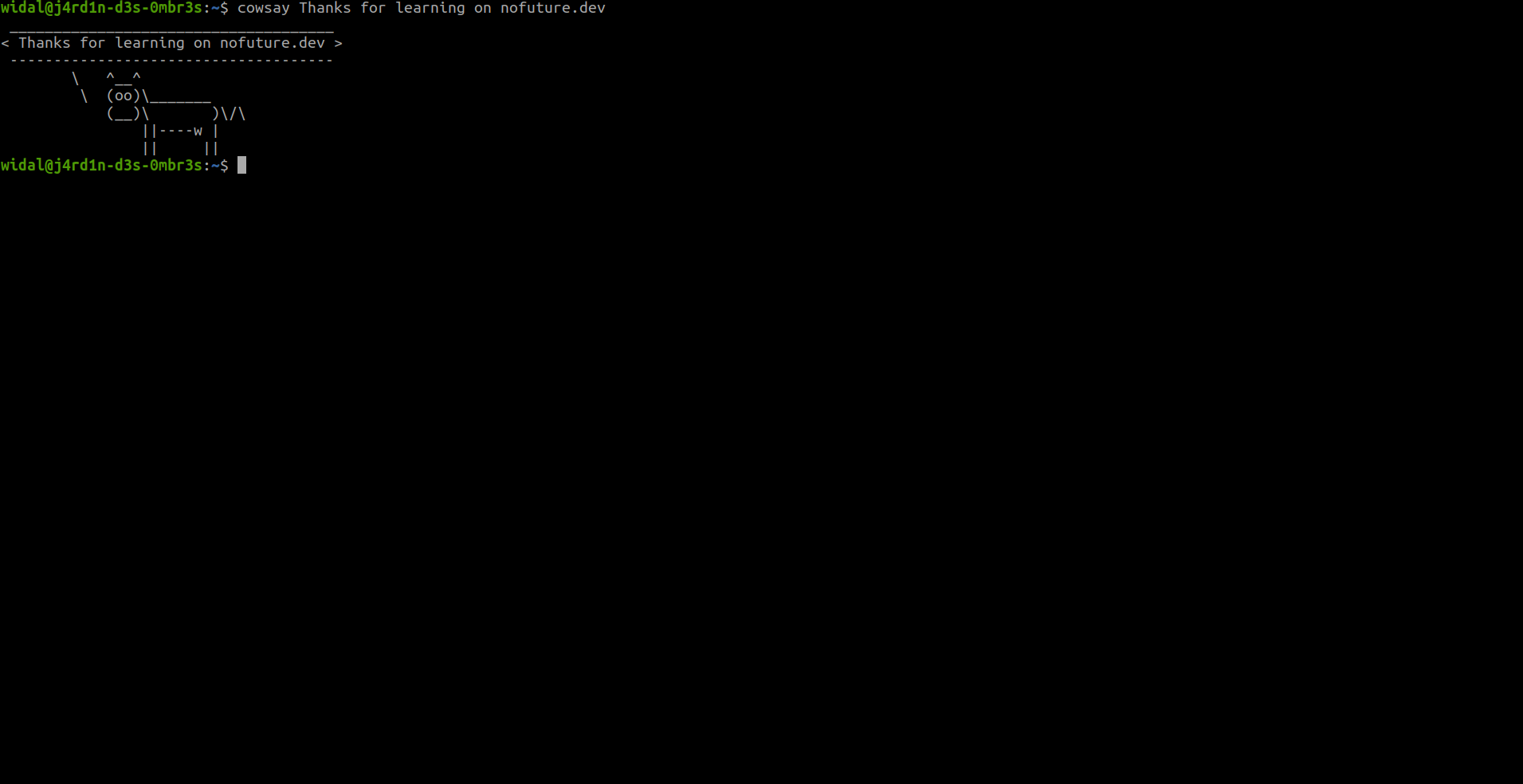
Info: In general, Linux is installed on servers without a user interface. Management is therefore done via the command line only.
The major differences between distributions
We will compare distributions according to three criteria: package and update management, philosophy and target audience, and ease of use.
-
Package and update management
- Debian: Uses the
aptmanager (.debformat). Favors stability with less frequent, but rigorously tested, updates. “Stable” versions may ship with older software. - Red Hat: Uses
yumordnf(.rpmformat). Enterprise-oriented, with long cycles (RHEL) to ensure stability. Fedora, its derivative, is more up to date and experimental. - Arch Linux: Uses
pacman. “Rolling release” model: continuous updates, always cutting-edge, but less stable if poorly managed.
- Debian: Uses the
-
Philosophy and target audience
- Debian: Versatile, focused on software freedom (strict open source), suited to servers, workstations, or technical users.
- Red Hat: Designed for enterprises (RHEL is paid), with commercial support. Fedora targets innovators, and Rocky Linux targets those looking for a free alternative to RHEL. For reference, RHEL stands for Red Hat Enterprise Linux.
- Arch Linux: Intended for advanced users who want total control, without an imposed default configuration.
-
Ease of use
- Debian: Moderately accessible. Its derivatives like Ubuntu simplify installation and the experience for beginners.
- Red Hat: RHEL is complex and geared toward professionals. Fedora is more accessible, while Rocky Linux aims to offer a simple solution for former CentOS users.
- Arch Linux: No native ease of use (manual installation). Manjaro, its derivative, brings a friendly, simplified interface.
💡 A secondary criterion we could add is the specificity of the distribution: some are security-oriented (hacking/pentest), others geared toward gaming, or designed for everyday use (general-purpose) or suited to less powerful machines (lightweight).
Since freedom is at the heart of Linux, each distribution has its own goals, philosophies, history, and also its own package manager.
Exercise ⚔️
- Take a tour of https://distrowatch.com/
- Find two Linux distributions for each of the different particularities (hacking, gaming, general-purpose, and lightweight)
- Research Tails OS and Qubes OS
- What is an LTS version?
- What are the LTS versions of Ubuntu?
- What is Dualboot? What are its advantages and disadvantages?
- What is a hypervisor? What is virtualization? What virtualization software exists for PCs?
- Research cloud providers
- Install a Linux distribution of your choice on a virtual machine to explore it 🙃
Feedback
Let us know what you think about this chapter.
👉🏾 Click here